
Установка Apache Superset в Docker (Windows + WSL2): пошагово, с разбором типичных ошибок
- Words
- 86
- Chars
- 557
- AI summary
- Yes
The guide explains how to install Apache Superset with Docker on Windows using WSL2. It walks through setting up WSL2 and Docker Desktop, cloning Superset, generating a SECRET_KEY, and starting the stack with docker compose. It also covers common mistakes, including using down -v, a config that is not applied, and port 8088 already being in use. Superset is described as an open-source Apache BI platform with dashboards, SQL Lab, and many database connectors. For Windows users who want to avoid installing many Python dependencies, the article presents WSL2 plus Docker as the smoother route.
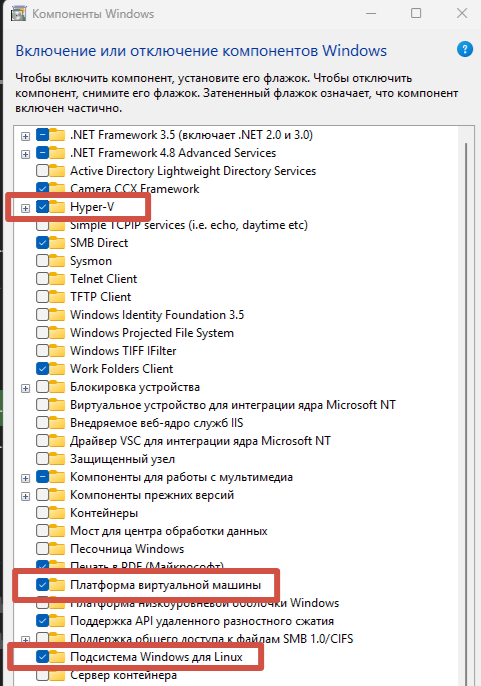
TL;DR: ставим WSL2 и Docker Desktop, клонируем Superset, генерируем SECRET_KEY, поднимаем стек через docker compose и не наступаем на грабли с down -v , неприменяемым конфигом и занятым портом 8088. Apache Superset — открытая BI-платформа от Apache: дашборды, SQL Lab, десятки коннекторов к базам. Если вы под Windows и не хотите портить систему пачкой зависимостей Python — самый спокойный путь это WSL2 + Docker. Ниже — рабочий рецепт от первого включения виртуализации до открытого в браузере логина, плюс ошибки, на которые я наткнулся сам. Читать далее
Open article